
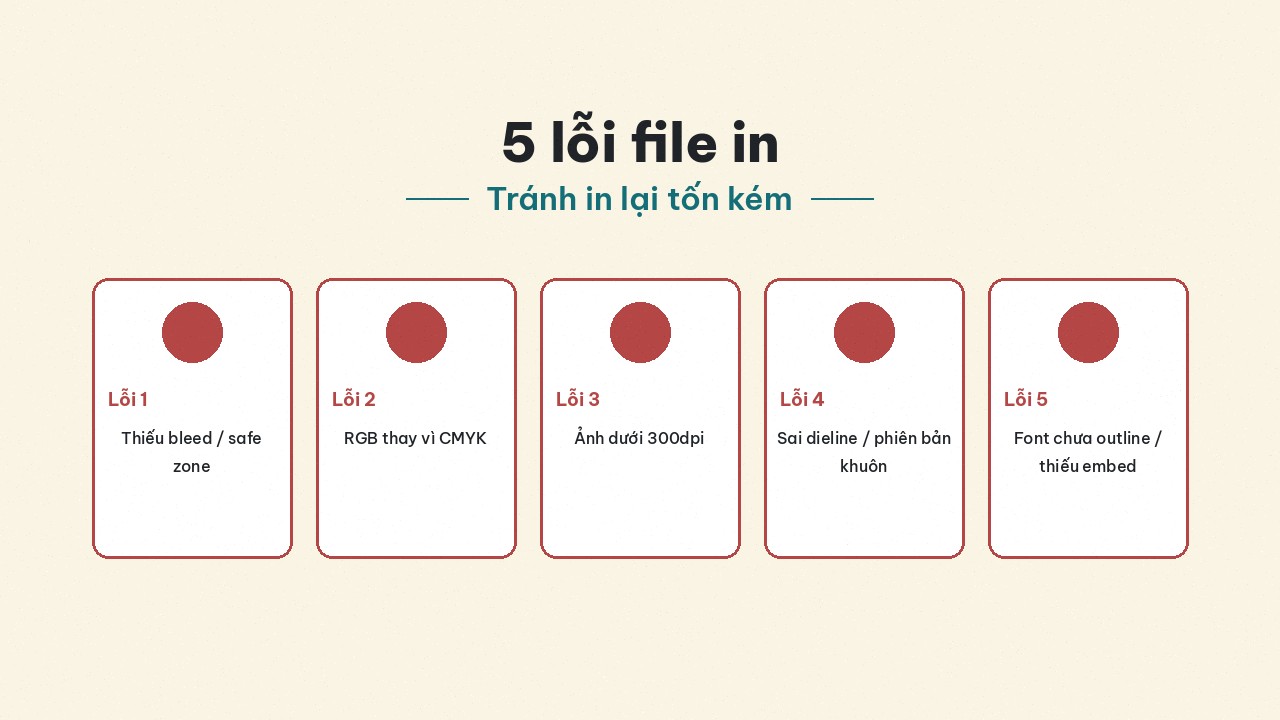
5 file mistakes that get rejected or force costly reprints
Five expensive prepress mistakes: leftover RGB, missing bleed, fonts not outlined, low dpi, wrong dieline — how to catch and fix them before the plant or a Printaz order.
Plants do not reject files because they dislike small orders — they reject because broken files stop presses, risk reprints, and spark color/type disputes after delivery. Here are five mistakes that often get prepress to say no or force you to pay for a reprint — written for shops and brands making labels, stickers, boxes, and catalogues across industries (cosmetics, fashion, retail, education, mother & baby…), not F&B-only.
Read with Print-file checklist (five pillars). Printaz does not claim live auto file-check or automatic print-ready export; self-review remains the cheapest safety layer.
Why file mistakes cost more than you think
Cost is not only “print again once.” It is also: a missed shelf date, a waiting team, pre-order customers asking questions, and trust with the plant (messy files → they prioritize cleaner clients). Fifty off-color trial boxes can be tuition; 5,000 offset boxes off brand hurts.
Digital and offset both suffer these five mistakes — digital sometimes lets you “see the error early” on a small sample; offset amortizes setup so clean files matter even more before the press. See also Digital vs offset.
Mistake 1 — Still RGB (or mixed RGB/CMYK)
Symptoms: color on paper looks dull / shifted vs screen; plant asks for a convert; neon logos “die.”
Why it is expensive: a rushed convert after layout approval can surprise you again; printing a full lot before noticing almost always means reprint or accepting off-brand stock.
Avoid: CMYK Document Color Mode from the start; check every placed image; call out hard brand colors. See Why print color shifts from the screen. Remember: 3D mockup ≠ soft-proof.
Ask the plant: “This PDF is CMYK; which sample should the brand logo prioritize matching?”
Mistake 2 — Missing bleed or art not extended to bleed
Symptoms: white edges after trim; pattern “short”; logos at the edge get cut.
Why it is expensive: cutters have tolerance; without ~3mm bleed there is no safety margin. Fix = remake the file and possibly the die / rerun.
Avoid: set ~3mm bleed; extend backgrounds to the bleed edge; keep type in the safe zone. Die-cut stickers: ask for bleed along the die path — curved edges sometimes need even surplus along the cut path.
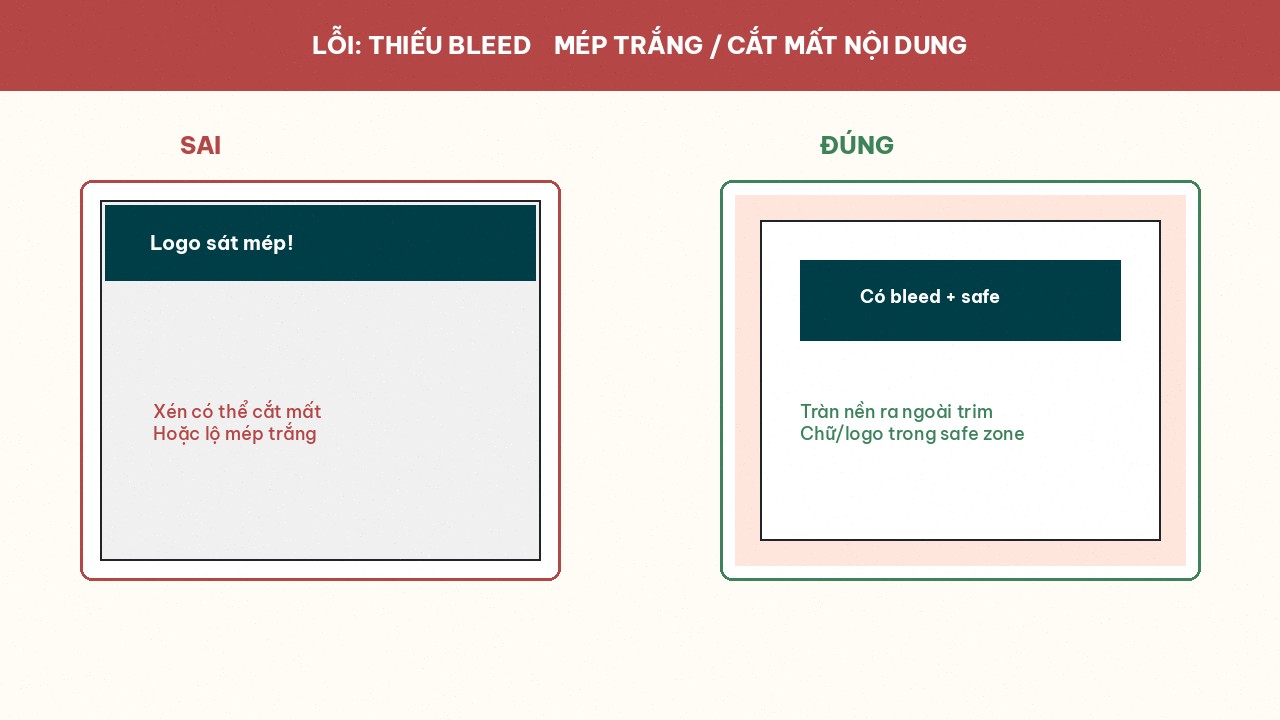 leads to white edges or chopped content.]
Mistake 3 — Fonts not outlined / not embedded
Symptoms: missing type, system font substitution, broken kerning; plant opens the file and “does not see the right font.”
Why it is expensive: catching it late after a sample — or after a full lot — almost guarantees a reprint. “It was fine on my machine” does not help if the sent file lacked fonts.
Avoid: Create Outlines (Ai: Ctrl+Shift+O) or Embed Fonts on PDF export; keep an editable master; avoid obscure fonts that cannot be embedded. See pillar 5 in the print-file checklist article.
Mistake 4 — Images under 300dpi (or upscaled web photos)
Symptoms: soft box faces, jagged logo edges, “dirty” product photos up close on shelf.
Why it is expensive: end customers see it immediately; swapping images after a large offset/digital run means scrapping the lot. Marketing often “temporarily uses a web image” and forgets to replace it — prepress does not always catch up.
Avoid: Image Size at true print size @ 300dpi; prefer vector for logos/type; do not upscale 72dpi web images. A hero box-face photo is not the same as a tiny sticker icon — do not apply one vague rule to everything.
Mistake 5 — Wrong size / dieline / die version
Symptoms: art does not match the cutting die; box lid misses the lock; round sticker art on an oval die; sending v2 instead of approved v5.
Why it is expensive: this is the “prints fine but will not assemble / will not stick” failure — nearly 100% waste. Plants may catch it early; if it slips through, you still own the bad stock.
Avoid: take the official dieline from the plant or a Printaz template; re-measure in mm; lock filenames by version (…_v05.pdf); one person (not only the designer) reviews size before send.
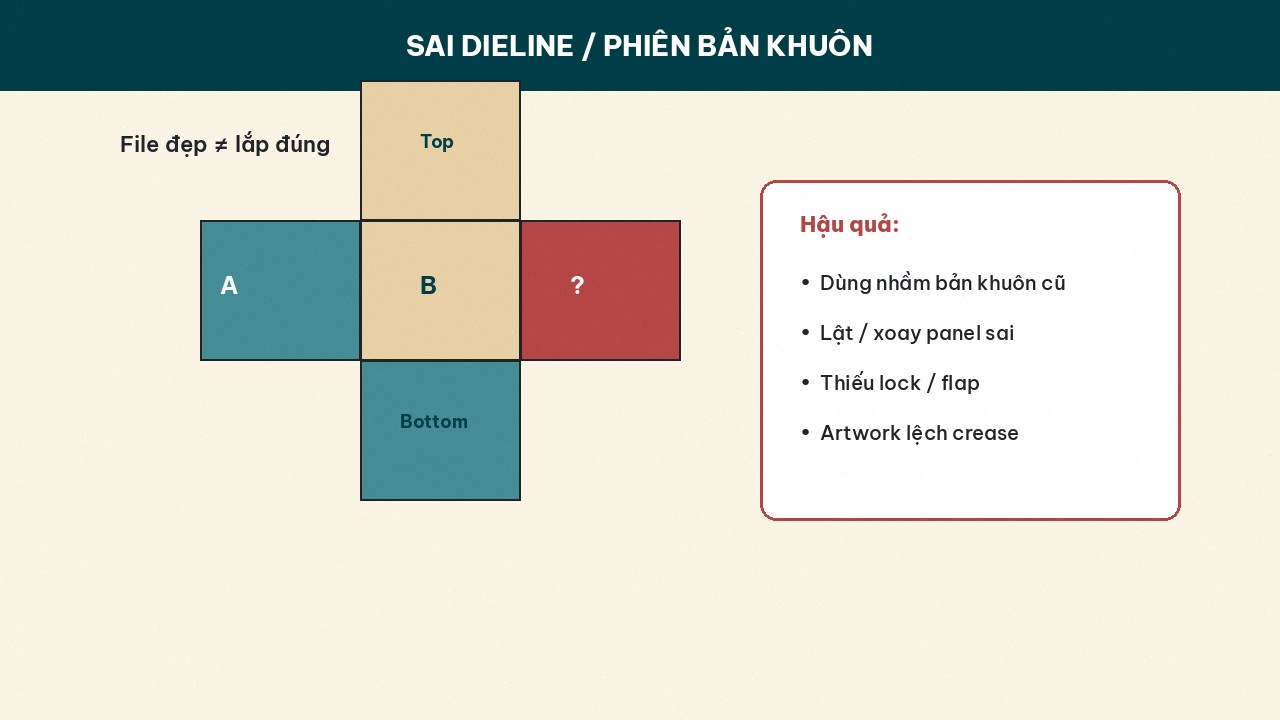 die version prints fine but will not assemble.]
Table: mistake → early signal → action
MistakeEarly signalActionLeftover RGBSoft-proof / plant flags RGBConvert + re-approve colorMissing bleedTrim preview shows empty edgeExtend art + set 3mmFontsMissing-font warning on openOutline / embedLow dpiZoom 100–200% looks brokenReplace image / use vectorWrong dielinemm measure ≠ dieNew template, lock version
Do small orders get “priority-rejected”?
Some traditional printers prioritize large lots and set MOQs — a small order plus a broken file slips down the schedule. On Printaz you order from 1 run, no MOQ, which fits SKU trials and learning on small quantity before you scale. Still clean the file: no MOQ does not mean “anything prints beautifully.”
Printaz in the fix loop
Design on the web → 3D mockup for layout (not a CMYK soft-proof) → trial order of 1 run → see real product → adjust → scale. CTAs: Start free on printaz.vn; need help reviewing a file / qty: Get a quote — [email protected].
Mini checklist before this send
CMYK checked?
Bleed + safe zone?
Fonts outlined/embedded?
Main images ≥ 300dpi?
Dieline / version matches the SKU?
White-underprint note if clear labels?
Summary
Five expensive mistakes: RGB · missing bleed · fonts · low dpi · wrong dieline/version. Catching them before the press runs is cheaper than arguing after delivery. Use the five-pillar checklist, sample small on Printaz (no MOQ), then scale. Start free / Get a quote — [email protected].
Share this article