
Waiting on the plant designer for every packaging edit: how to break the sample–revisereprint loop
Asking the plant to edit → sample → miss again burns time. How shops keep a master and only send near-final files.
Many cafe and shop owners are not “too lazy to design” — they are stuck in a revision loop: every text, color, or layout tweak means asking the printer’s designer → print a sample → one small miss → ask again → print again. That loop burns time, sample money, and makes you miss seasonal, new-menu, or campaign windows.
This post digs into that loop: why it forms, where the real cost sits, and how a shop can take back control of the packaging master before sending to the plant — without “dropping” the printer you already work with.
What the “ask the plant to edit” loop usually looks like
The chain of events often repeats almost identically across cafes, milk-tea shops, bakeries, and takeaway brands:
The shop sends a change request (new price, slogan, logo color, promo line…).
The printer’s designer edits on the file they hold — the shop does not hold the master.
The plant prints a sample / proof (sometimes only one side, or on paper different from the real substrate).
The shop reviews, still unhappy with one small detail → back to step 1.
On large jobs, plants still prioritize support because margin covers the edit work. On medium and small jobs, every revision eats plant labor — the more dependent the shop is, the slower it gets, and the easier it is to be queued behind bigger customers.
The danger is not “one edit.” It is that every edit waits for someone else to open the file, understand the brief, edit the right version, then reprint. A typo on a lid becomes a ticket; a weekly menu price change becomes a ticket. The shop’s sales rhythm is dragged by the plant designer’s calendar.
The real cost of the loop (not just sample fees)
Many owners only count sample print cost. In practice the revision loop also burns costs that are harder to see on an invoice:
Time to market: boxes/bags/labels late by a few weeks = missed opening, missed seasonal combo, missed new-menu photography.
Internal opportunity cost: ops people chase files, photograph samples for Zalo, re-meet on copy — instead of selling.
“Wrong version” risk: every edit on a plant-held file makes it easy for the shop to lose track of which version is on brand. At bulk time, you can print the old one by mistake.
Relationship with the printer: small jobs with many revisions tire the plant. Next time support is slower, or they bill for edits — entirely reasonable from a production side.
If the shop changes menus quarterly or for short campaigns, the “ask the plant to edit” loop becomes a fixed bottleneck, not a rare incident.
Root cause: where does the master live?
The key question is not “does the printer have a good designer?”, but: where does the master file live, and does the shop have the right to edit it?
If the master only lives at the printer, the shop can barely self-edit. Every small change becomes a ticket for someone else. The shop briefs by chat (“make the type a bit bigger”, “make the red deeper”), the designer interprets by feel — then another proof. That is a vague feedback loop on a file the shop does not hold.
Conversely, if the shop keeps a master template (correct die-cut / die-line, bleed, type safe zone, brand logo, target color set), it can edit content on the right frame, approve internally, then send a near-final file to the plant. The printer then receives print & finishing work — their strength — instead of acting as an “agency that tweaks every word” on a small job.
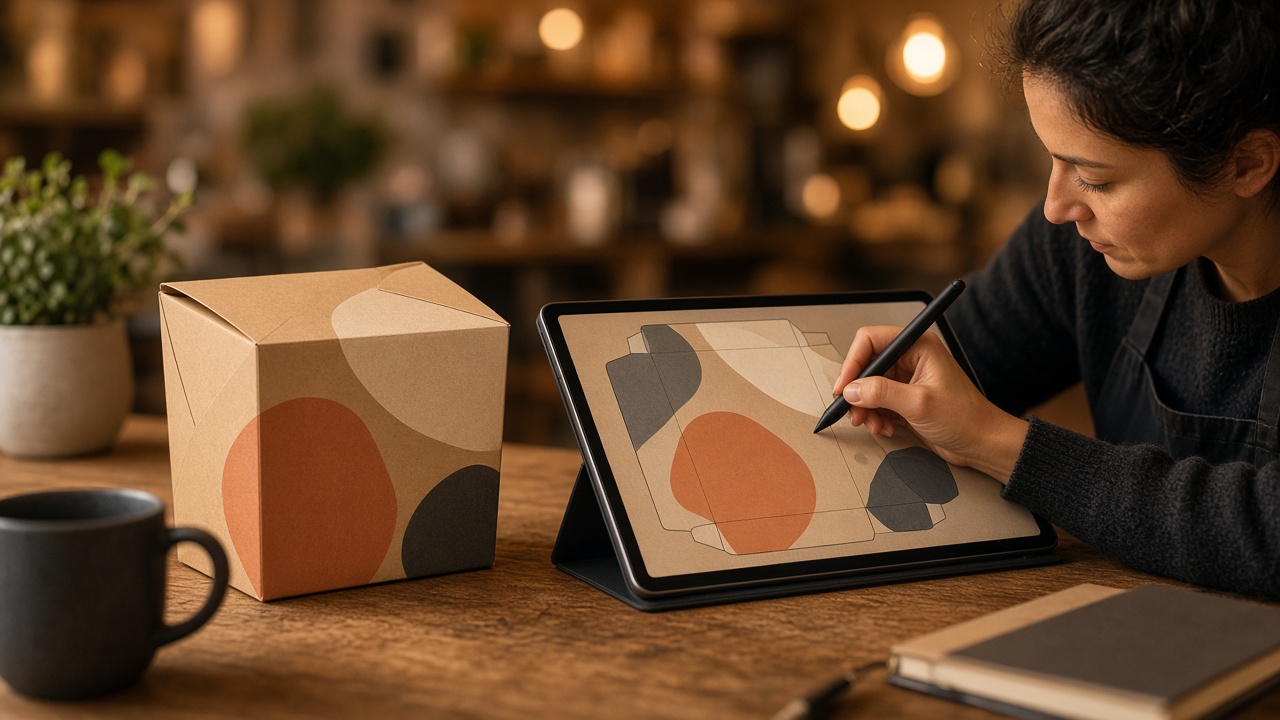
Two roles to separate clearly: brand edits vs plant print
Many shops merge two jobs into one: “just send ideas to the printer, they’ll handle everything.” That is convenient at first, but creates long-term dependency. Separate them:
Shop side (or a project designer the shop hires): content, brand, layout on the correct template, version control.
Plant side: technical file checks (bleed, overprint, press color profile), proofing, finishing, delivery.
When the two roles are clear, the shop does not “drop” the printer — it simply stops turning the plant into an internal marketing department. The plant also works more easily because it receives near-ready files instead of vague briefs over chat.
How to break the loop — a practical checklist
Recover or rebuild the master: request the original file from the plant (layered AI/PDF if available), or rebuild on the correct die-line. Note size, substrate, matte/gloss finish clearly.
Lock minimum brand rules: logo not distorted, type clearance, target color set (with CMYK print notes), substitute fonts if licensed fonts cannot be shared.
Edit content on the master before asking the plant: every slogan, price, and combo trial should happen on the shop side.
Send the plant one near-final package: with a short tech brief (quantity, substrate, finish, delivery) — avoid “editing every word while still brainstorming.”
Controlled hard proof: on the substrate that will run bulk if possible. Approve sample → purposeful edits → then bulk.
Save versions: name files by date/content (for example
hop-takeaway-v3-2026-09) so you don’t print an old version by mistake.
This checklist sounds simple, but it is exactly what cuts 2–3 “ask for an edit – reprint” cycles that many shops still repeat every menu change.
When should you still ask the plant’s designer?
You should not DIY everything every time. Ask the plant (or a packaging designer) when:
You need complex technical edits: new box structure, bottom lock, PVC window, special finishes.
Files from an old agency are flattened / missing a die-line — need a production-ready rebuild.
Large jobs where the plant has a strict color-proof process (and the shop accepts the timeline + fee).
What should stay on the shop side is frequently changing content: prices, promo lines, seasonal product photos. That is what creates a dense revision loop if you keep pushing it all to the plant.
Which part of the process does Printaz help?
On Printaz, shops can pick packaging templates by die-cut frame, edit on a 2D interface, preview shape, then export files ready to hand to a printer. The goal is not to replace the printer — it is to reduce “every text/color tweak waits for the plant designer to open the machine.”
In other words: Printaz helps the shop keep editing momentum and the master; the printer still does what they do best — print and finish. When the file that goes out is near-final, both sides avoid Zalo ping-pong.
Need advice on file process before ordering print: [email protected].
Quick summary
The ask-plant-to-edit → sample → edit-again loop burns time and printer relationships, especially on medium/small jobs.
The root cause is often that the master lives at the plant, so the shop cannot self-edit.
Separate brand edits (shop) from print/finishing (plant); only send near-final files.
Keep a master template + clear version names before bulk.
Use tools like Printaz so the shop keeps the edit rhythm; the printer still prints.
Share this article