
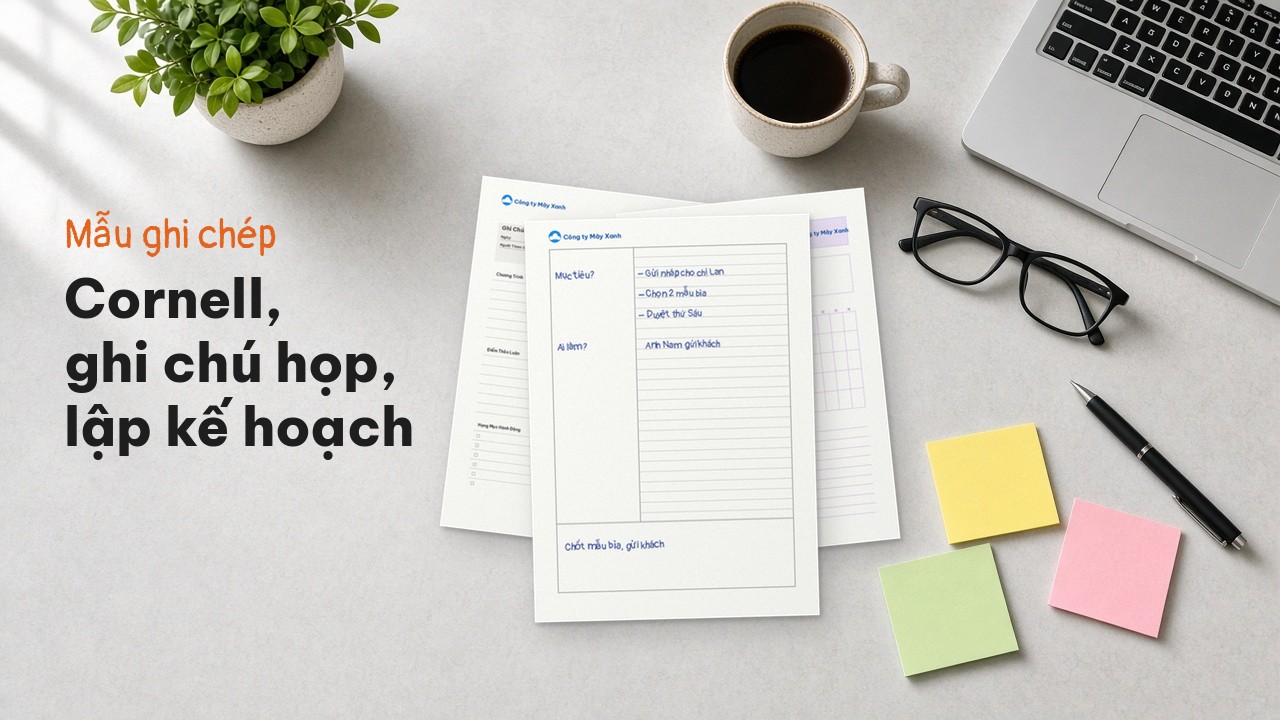
Cornell Note Templates, Planning Sheets and Meeting Notes for the Office
How to lay out Cornell notes, plus meeting notes and project planning templates for the office: add your company logo, preview, export a PDF or order printing in the app.
Looking for a Cornell note-taking template, meeting notes paper or a planning sheet for your office? On Printaz, the Paper backgrounds collection has these templates ready. Add your company logo and department name, preview it, then export a PDF (Premium plan) to print at the office, or order printing right in the app, from just 1 order. This article explains how to use each type of paper and suggests suitable templates.
Why should an office have printed note paper?
Everyone's notebook is different, so meeting notes often end up scattered: one person writes action items at the bottom of the page, another buries them in a paragraph. A shared paper template helps:
Everyone takes notes in the same layout, easy to reread and pass on.
Ready-made fields for the date, attendees, action items and owners.
Pages carry the company logo and name, looking professional with clients and partners.
What is the Cornell note-taking method?
Cornell notes divide a page into three parts:
Cue column on the left (about 30–35% of the width): keywords, questions, names of owners.
Note-taking area on the right (about 65–70%): the main content while listening, best written as short points, symbols and bullets.
Summary box at the bottom: after the class or meeting, restate the main ideas in a few sentences in your own words.
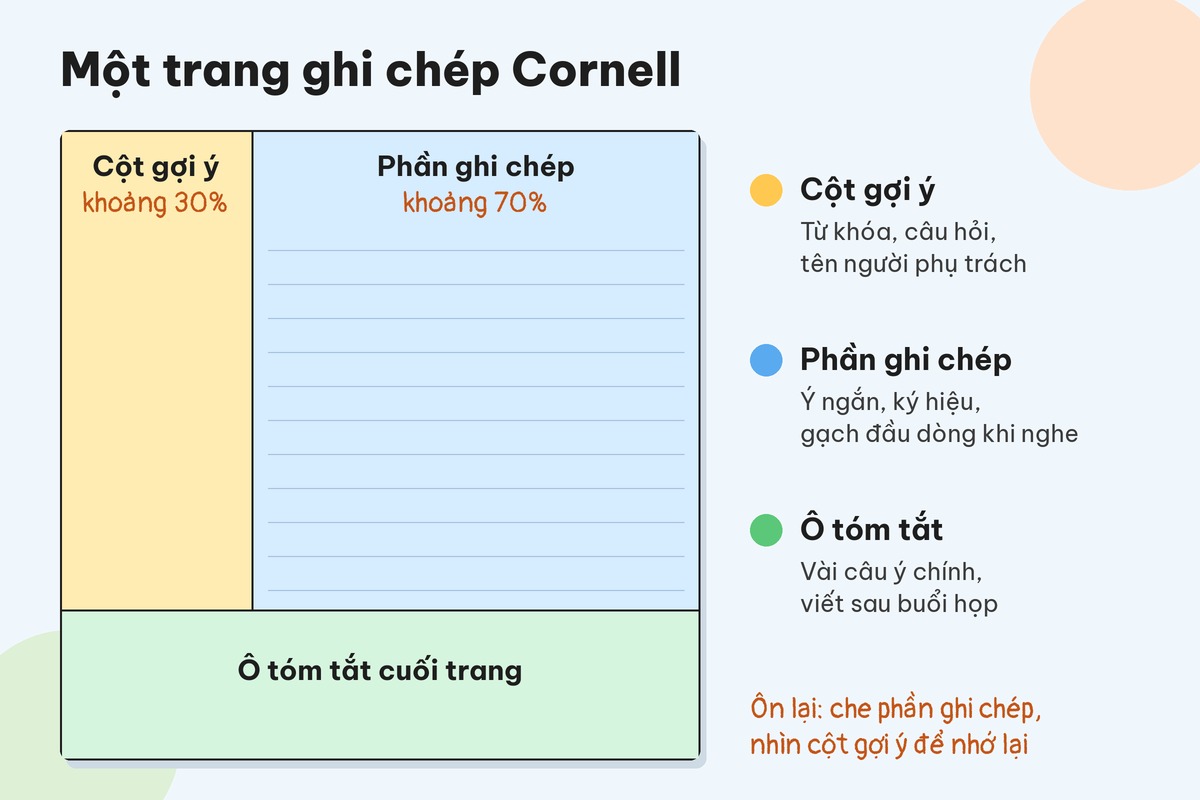
When reviewing, cover the notes, look only at the cue column and try to recall the content. This helps you remember longer and find information quickly.
Using a Cornell template in meetings
Cornell is not only for students. In a meeting you can use:
Cue column: discussion topics, open questions, owners' names.
Note-taking area: opinions, figures, options discussed.
Summary box: final decisions and next actions.
Ready-made template: Cornell note paper.
Meeting notes template
Meeting notes paper is designed for team meetings, weekly meetings and client meetings. A good meeting notes page should have:
Meeting name, date, time, location.
Attendees, chair, note-taker.
Main content by item.
Decisions agreed.
Action items: who does what, by when.
Note: meeting notes paper is for quick notes during the meeting. If your company needs formal minutes as an internal document, follow your company's own minutes template; the notes page is the source for drafting those minutes.
Project planning paper and templates for organising work
If you are looking for a planner PDF to organise tasks by day, week or project, the Paper backgrounds collection has these templates:
Project planning paper: tasks by milestone, with space for owners and progress.
Dot grid paper: an even dot grid to draw your own weekly task board, diagrams or monthly calendar.
Creative journal paper: ideas, sketches, work journal.
Tips for using planning paper at the office:
Start of the week: list the three most important tasks for the week.
Every day: split tasks into morning and afternoon.
End of the week: tick off what is done and move unfinished tasks to next week.
Plain note paper and A4 lined paper
You do not always need a complex layout. For everyday notes, there are:
A4 solid lined paper, A4 dashed lined paper, A4 dotted lined paper: notes, drafts, handwriting.
A4 solid-line grid paper: diagrams, tables, quick calculations.
Vintage note paper: personal notebooks, internal gifts.
If you are also interested in paper for students such as ô ly paper, Chinese rice grids and music staff paper, see the article handwriting practice paper and A4 ô ly paper.
How to choose paper by need
Need to remember and review content (internal training, classes): choose Cornell.
Need to follow up after meetings: choose meeting notes paper.
Need to organise tasks by milestone or week: choose project planning paper or dot grid paper.
Just need open-ended notes: choose A4 lined paper.
Add your company logo, preview, export PDF or order printing
Printaz is an online design and printing platform that connects the whole workflow from 2D & 3D design, mockup creation and finished-product preview to print ordering, with no professional graphics software needed. For office note paper:
Choose a template in the Paper backgrounds collection.
Upload your company logo and type the company and department name right on the web.
Preview the page. Actual print colours may differ slightly from the screen, especially light lines.
Export a PDF to print at the office (print PDF export is part of the Premium plan) or order printing right in the app, from just 1 order.
Checklist before printing:
Logo is sharp; company and department names are spelled correctly.
Previewed the whole page; margins are not too tight.
Choose A4 when printing at the office.
Agree on one template for the whole team so notes share the same layout.
New to graphics software? Read design without Illustrator.
Frequently asked questions
How are the columns of a Cornell template divided?
The cue column on the left takes about 30–35% of the width, the note-taking area on the right about 65–70%, plus a summary box at the bottom of the page. The cue column holds keywords and questions; the summary box restates the main ideas after you finish.
How is meeting notes paper different from meeting minutes?
Meeting notes paper is for quick notes during the meeting. Minutes are a formal document drafted afterwards using your company's template, and can be based on the notes page.
Can I print our company logo on note paper?
Yes. Upload the logo and type the company name into the template on the web, preview it, then export a PDF (Premium plan) or order printing in the app.
Get started
Choose a Cornell, meeting notes or planning template in the Paper backgrounds collection, add your company logo and click Get a quote right in the app if you need to print for the whole office. For help, email [email protected].
Share this article