
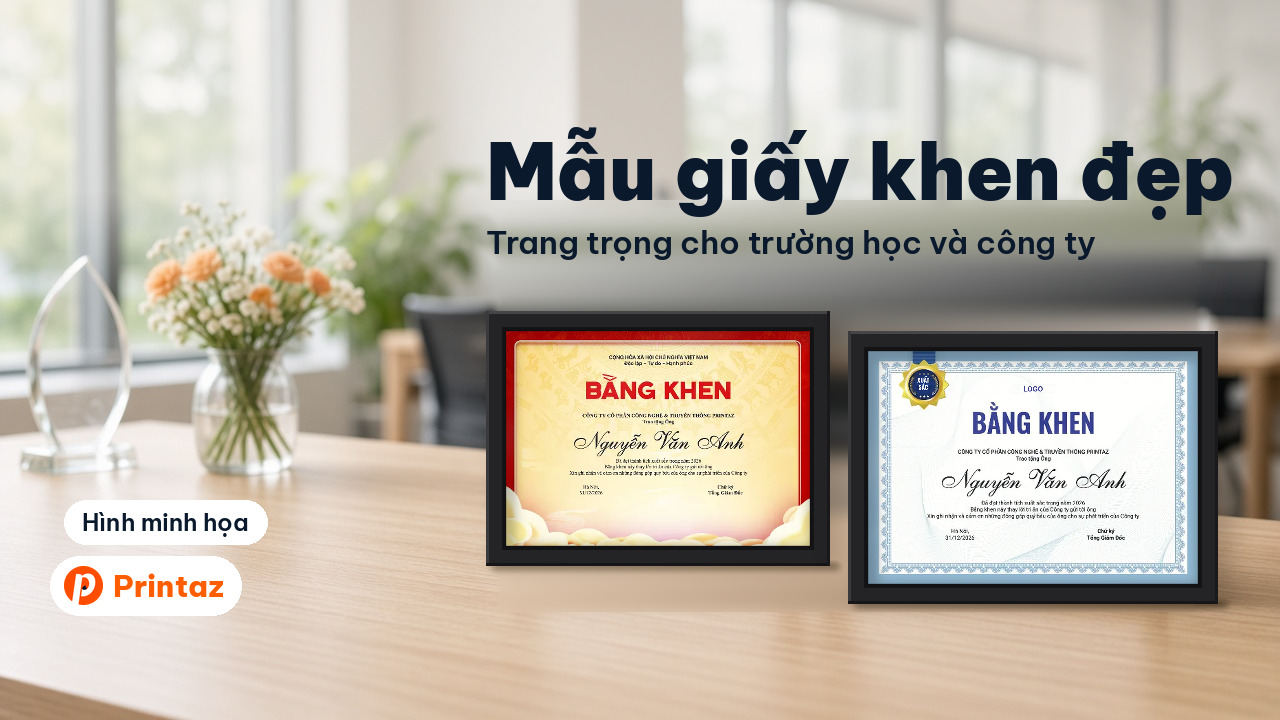
Beautiful certificate of merit templates: edit names on the web, print from 1 order
Certificate of merit templates with traditional bronze drum designs and modern award certificates for schools, study-encouragement associations and companies, in A4: edit names on the web, preview, export a PDF or print from 1 order.
Need a good-looking certificate of merit for a year-end review, a study-encouragement ceremony or an employee recognition event, but nobody on hand who uses graphic design software? Printaz has certificate of merit templates, including traditional bronze drum designs and modern award certificates for companies, in A4 landscape and portrait. They are part of the Premium template library (used with the Premium plan). You type the organization name, the recipient's name and the citation right on the web, preview it, then export a PDF (free 3 times; upgrade to Premium if you need more exports) or order printing in the app, from just 1 order.
When do you need a certificate of merit?
A good certificate of merit should look formal, show the recipient's name clearly and carry the correct name of the awarding organization. The templates on Printaz suit internal recognition such as:
Schools: certificates for excellent students, outstanding students, and students who did well in school movements or contests.
Study-encouragement associations and family clans: rewarding children and grandchildren who study well at the end of the school year or on the clan's memorial day.
Trade unions, youth unions and clubs: recognizing active members and outstanding individuals in group activities.
Companies: honoring outstanding employees, high-performing teams of the year and long-serving staff.
Note: awards from state agencies use their own official certificate blanks; if that applies to you, check with your emulation and commendation office first.
Bronze drum certificate templates on Printaz
The templates in the Certificates of merit category belong to the Premium template library and are used with the Premium plan. The bronze drum group shares a few features: a large red "BẰNG KHEN" (certificate of merit) heading, the national title and motto at the top, the recipient's name in flowing script, and bronze drum and golden cloud motifs.
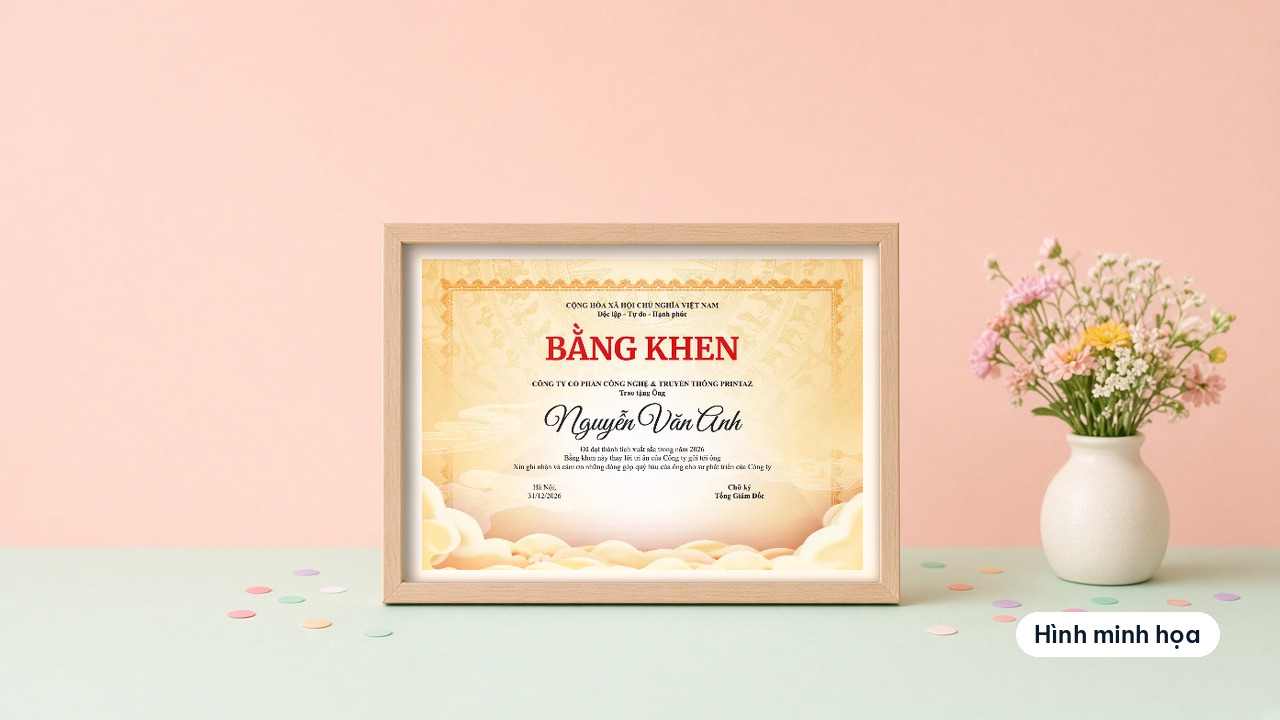
Modern bronze drum certificate, yellow background with red border (297×210 mm, A4 landscape): warm yellow background, red border, golden clouds at the bottom corners. Good for company award ceremonies and year-end reviews.
Bronze drum certificate with red border (297×210 mm, A4 landscape): light background, red frame with corner ornaments. It looks formal and suits schools and study-encouragement associations.
Traditional bronze drum certificate (297×210 mm, A4 landscape): pale yellow, aged-paper look, minimal border, plenty of space for longer text.
A4 portrait bronze drum certificate with red border and golden clouds (210×297 mm, A4 portrait): an upright format, good for hanging on a wall or a portrait frame.

For more templates for organizations and groups, open the Associations and organizations industry page.
Award certificates and employee of the year templates for companies
The modern award certificates for companies, A4 landscape 297×210 mm, are also part of the Premium template library:
Blue award certificate with patterned border: white background, blue ornamental border, a gold badge in the top corner, a dark blue "BẰNG KHEN" heading, a logo placeholder and the recipient's name in handwritten script.
Tech-style outstanding employee commendation: dark blue background with a circuit pattern, gold border, a "TUYÊN DƯƠNG" (commendation) heading, the recipient's name in large capitals, a line for department and achievement, and a gold medal with a red ribbon in the middle. Good for quarterly or annual outstanding employee awards.
Appointment decision template for companies
Besides certificates, the category also includes an appointment decision template for a tech company (A4 landscape, part of the Premium template library): a blue frame with a gold border, the national title and motto, a "QUYẾT ĐỊNH BỔ NHIỆM" (appointment decision) heading, the appointee's name, position and appointment date. The wording of the decision itself is written by the company according to its internal process.
Edit names on the web: what to change on the template
Each template already has the layout and sample text in place; you only need to replace it with real information right on the web:
Awarding organization: the capitalized line under the heading. Examples (fictional names): "TRƯỜNG TIỂU HỌC SAO MAI XANH" (a primary school), "HỘI KHUYẾN HỌC DÒNG HỌ TRẦN THÔN ĐÔNG HÒA" (a clan study-encouragement association) or "CÔNG TY TNHH ABC" (a limited company).
Form of address and recipient's name: "Trao tặng em", "Trao tặng ông/bà", "Trao tặng anh/chị" ("Awarded to…") followed by the full name. The name is the most prominent element, so check the spelling and diacritics carefully.
Citation: the reason for the award, for example "Achieved the title of Excellent Student in the 2025–2026 school year" or "Achieved outstanding results at work in 2026". Keep it short; 1–2 sentences is enough.
Place and date: "Hà Nội, ngày … tháng … năm …" (Hanoi, date) in the left corner or above the signature.
Signatory's title: principal, association chair, general director; leave space for a handwritten signature and a stamp.
If you need a school or company logo, upload it and place it in the empty space at the top, away from the motifs.
Preview, export a PDF or order printing
Printaz is an online design and printing platform that connects the whole process, from 2D & 3D design, mockups and finished-product previews to ordering prints, with no professional graphic design software needed. For certificates, it takes four steps:
Choose a template in the Certificates of merit category.
Edit the text and add a logo right on the web.
Preview the whole page. The preview helps you picture the layout; actual print colors may differ from the screen, especially large yellow and red areas.
Export a PDF to take to a printer (free 3 times; upgrade to Premium if you need more exports) or order printing in the app, from just 1 order.
Read more: why print colors shift from the screen and the PDF print file checklist.
Checklist before printing certificates
The awarding organization's name is its official name, with consistent capitalization.
The recipient's full name is spelled correctly, with all diacritics and the right form of address.
The citation states the correct title and school year or work year.
Place, date and signatory's title have been edited, with no sample text left.
The logo (if any) is sharp and does not overlap the motifs or text.
You have previewed the whole page and no text sits too close to the edge.
The whole set uses the right A4 landscape or portrait format, with room for signatures and stamps.
Frequently asked questions
Can I edit the names on Printaz certificate templates?
Yes. You type the organization name, recipient's name, citation, date and signatory's title right on the web. No graphic design software to install.
What size are the certificates on Printaz?
Most templates are A4 landscape, 297×210 mm, and some are A4 portrait, 210×297 mm. A4 frames and folders are easy to find.
Can I order certificate printing from 1 order?
Yes. You order printing in the app, from just 1 order. If you need a larger quantity for a whole school or association, click Get a quote in the app.
Can I export a certificate as a PDF and print it myself?
Yes. PDF export is free 3 times; upgrade to Premium if you need more exports. The certificate and award templates are also part of the Premium template library, used with the Premium plan.
Can I use these templates for state agency certificates?
State-level awards use official certificate blanks under separate regulations. These templates are for internal recognition at schools, associations, unions and companies; if you are unsure, ask your organization's emulation and commendation office.
Get started with certificate templates on Printaz
Schools, study-encouragement associations, trade unions, youth unions and companies can all pick a template in the Certificates of merit category, edit the names on the web, then click Get a quote in the app. For other questions, email [email protected]. See also how to design without professional graphic design software and our October 20 card templates.
Share this article